Why Zero-Latency Streaming Matters in Modern Broadcasting
In live event production, esports broadcasting, and aerial drone coverage, latency is the ultimate metric of production quality. Traditional RTMP streaming pipelines route video frames through cloud CDN relays, introducing 3 to 10 seconds of delay. This delay breaks real-time interactivity, camera operator timing, and live director cues.
CastZero Engine solves this delay at the architectural level. By hosting a zero-overhead C++ RTMP ingestion server directly on your local Windows PC, video packets travel directly over your local Wi-Fi or Ethernet LAN without ever touching an external internet cloud server.
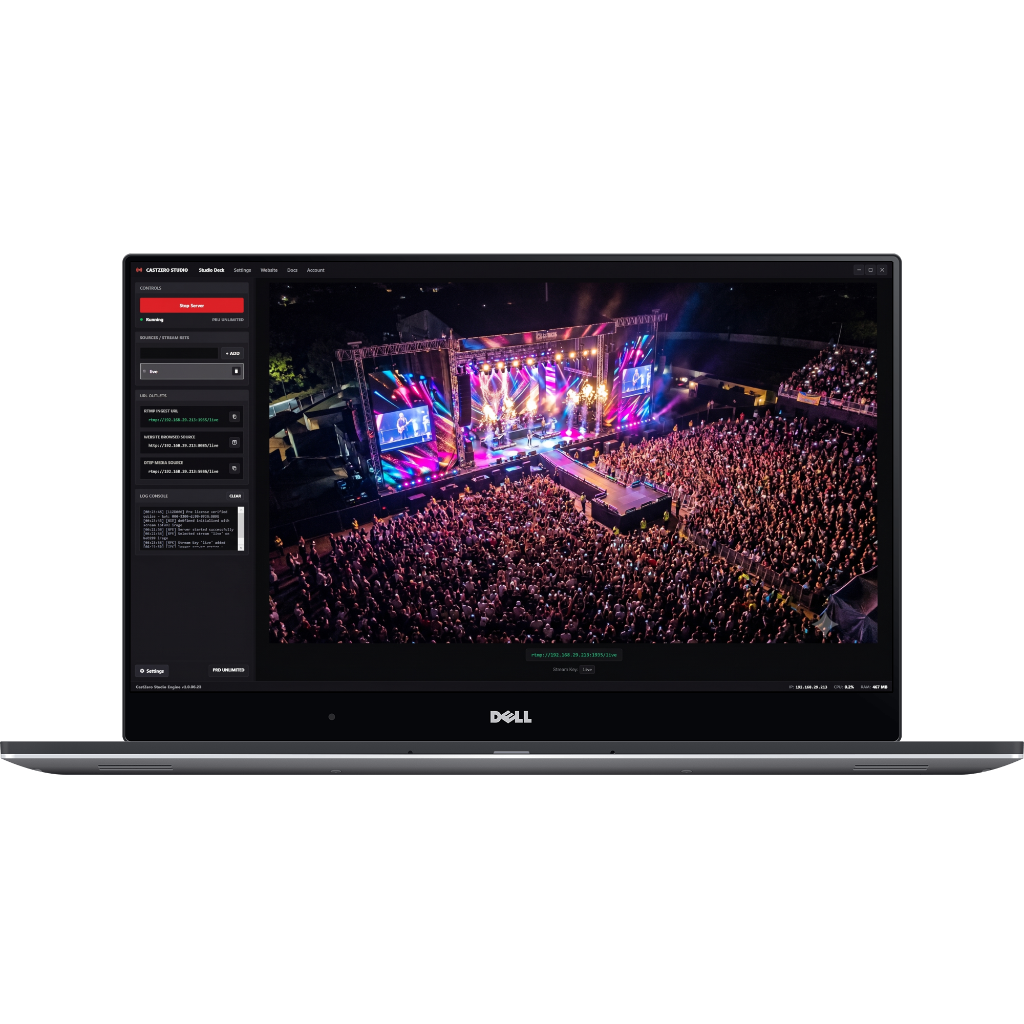 Figure 1: CastZero Engine local RTMP receiver pipeline outputting zero-lag WebRTC browser streams into OBS Studio.
How CastZero Eliminates Latency (Under 50ms)
The CastZero architecture combines two complementary protocol layers:
- RTMP Ingest (Port 1935): Hardware cameras (DJI drones, GoPro Hero cameras, and mobile phone apps) natively stream H.264 video over RTMP. CastZero receives these packets on your local IP address instantly.
- WebRTC Direct2D Rendering (Port 8189): Rather than relying on TCP retransmission delays, CastZero converts RTMP streams into real-time WebRTC UDP frames. OBS Studio ingests this stream as a Browser Source at a staggering ~30ms to 50ms latency.
Step-by-Step Configuration Guide for Windows
- Download & Launch CastZero: Open CastZero Desktop Client on your Windows 10 or 11 PC. Click "Start Server" to initialize the local RTMP server on port 1935.
- Find Your PC Local IP: Check the CastZero header or open Command Prompt (`cmd`) and type
ipconfig. Locate your IPv4 address (e.g.,192.168.1.150). - Configure Your Camera Publisher: Set your camera publishing URL to
rtmp://192.168.1.150:1935/live/streamkey. - Import Stream into OBS Studio: In OBS Studio, click + Add → Browser Source. Paste the local WebRTC URL:
http://localhost:8889/streamkey. Set width to 1920 and height to 1080.
Optimization & Network Hardening Tips
To ensure bulletproof reliability during high-stakes live productions:
- Use Dedicated 5GHz Wi-Fi 6 Routers: Keep wireless cameras on a standalone 5GHz or 6GHz SSID away from public crowds.
- Enable NVENC GPU Hardware Decoding: In CastZero settings, enable GPU acceleration to offload video decoding to your NVIDIA or Intel GPU.
- Disable Network Buffering in OBS: Ensure OBS Studio Media Source / Browser Source buffer controls are set to minimum latency mode.